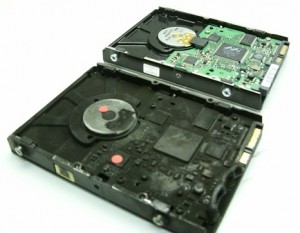
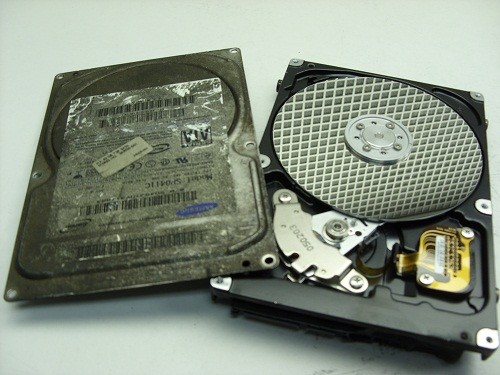
Data Recovery, recovering Hard Drive data, RAID data recovery

MELTED DATA

Almost every month someone in Canada sends a hard drive that has been involved in a house fire. They often resemble burnt bricks like the picture below of a drive we recently received from a client in London, Ontario. None of our techs were in a hurry to get their hands dirty, but as terrible as these situations look, there is often an easy recovery lurking just under the mess!

Plastic melts easily and this external hard drive is in-cased in plastic like a pair of jeans on a teenager in the 80’s.


But with a little invasive surgery we are able to free the hard drive from its prison.

But will the prisoner be able to talk?

As we have discussed various times in this blog, it is the condition of the disks that will ultimately decide if we can make this hard drive talk again. So let’s open the bonnet and have a peak under the hood …


WOW! It looks pristine. Notice the lack of any contamination due to the fire or the liquids used to douse it. We proceeded to perform a full recovery on this case by replacing only the PCB


Below is another fire victim from a client in Montreal, Quebec which was not in such great shape when we opened the lid. In fact, it may not be recoverable … but we’ll never know for sure as the client declined our quote.

As a general rule for data recovery purposes, fire damaged drives are not typically unrecoverable due to the heat and smoke of the fire, BUT more often, it is the excessive use of firefighting liquids that do the damage, especially if they are allowed to dry out. The drying out leaves mineral and other debris deposits on the disks which are tough to overcome.


And here is a look of what happens when someone applies power to a fire damaged hard drive that has had the sealed assembly breached. You can see the deep ring on the inside of the disk where the heads are. This disk drive will NOT be recoverable.


So if you have a sad looking case of melted data don’t give up hope, data recovery may be as easy as a PCB replacement.


Join us at the Canadian Imaging Conference and Trade Show


Memofix Data Recovery Services will be an exhibitor at the upcoming 2015 Canadian Imaging Conference and Trade Show in Niagara Falls, Ontario on April 26th and 27th. Please feel free to be our guest at this event by printing and presenting the Trade Show Pass shown below.


This trade show is put on by the PPOC or Professional Photographers of Canada and is part of a 4 day conference aimed at the professional photographer and imaging professional. The conference offers various educational seminars hosted by 19 well respected industry experts and is aimed at improving your artistic and technical imaging skills.

Memofix Data Recovery Services has extensive experience recovering data for professional photographers and videographers. We routinely recover data from all types of camera memory cards, as well as external hard drives, NAS devices, LTO tape and RAID storage devices. If you’ve lost your valuable photos or video, we can help.


WARNING - WARNING - WARNING

In my last blog I recounted how we managed to recover the data from a multiple hard drive RAID array AFTER two different European data recovery companies had failed. In that situation, we were the white knight, coming in to save the data where others had failed. But recently, we were painted as the villain for performing similar data recovery magic right here in Toronto. In fact, the title of this blog came from our 1st ever negative Google review as a result of this recent case.

To summarize, we received a 2.5” Western Digital WD hard drive for data recovery. The particular model drive sent in, has a USB3 interface built onto its PCB (printed circuit board) and it does not have typical SATA connections. From experience, we have found that data recovery imaging utilities (both in-house written and commercial) work terribly with USB interfaced hard drives. As a result, we don’t attempt to access or image USB3 type WD drives using their native USB PCB. Instead, we have learned how to convert a particular standard WD SATA PCB to work with these native USB drives.

So when we received this case, we immediately converted one of SATA PCBs to work with this drive. The conversion process required us to remove one small 8 pin programmable chip from the client’s original USB3 PCB and transfer it onto our SATA PCB. Once we did this, we were able to evaluate the drive fully and concluded that the drive had bad heads and likely minor disk damage. We contacted the client and quoted them $1300, which they declined. We transferred the client’s 8 pin chip back to their original PCB and returned the drive to the client.

The client then took it to another data recovery company who claimed it was unrecoverable because we had damaged the PCB and furthermore we left solder paste around the 8 pin chip and were thus “VERY AMATEURISH”. Ok we forgot some totally inconsequential solder paste on the PCB. But we never once applied power to the PCB so the claim we damaged it seemed unfounded. Of course there was a chance we damaged the small 8 pin chip so we suggested the client bring it back to us. They did; we removed the chip and verified it’s functionality using a chip reader. While it was here, we re-established the fact that we could still recover the data, but again the client did not want to pay us anything and left with their drive intact but with no solder paste residue to complain about.

Apparently, the client then went to KROLL ONTRACK, “the industry leader and the largest data recovery provider in Canada and in the world”. The client claims they also declared the drive unrecoverable due to the same “damaged” PCB.

The client then came back to us, and we again re-iterated that we had not damaged anything, and we could still recover the data for him. In fact, just to keep our good guy image alive, we offered to reduce the cost by $300. At 1st the client accepted thinking we offered the recovery at $300. But when he realized we weren’t giving it away and still required $1000 to complete the recovery he declined and created his mean spirited Google complaint.

Whether this client was trying to get a free recovery or not, I don’t know, or care, but in the end I am aghast that 2 other professional data recovery companies in Toronto cannot recover the data from a situation where we regularly do.

It helps to realize, that the world wide data recovery industry has no standards, no way of knowing a company’s competency, or a company’s integrity. There are lots of bad guys waiting to take your money for very little in return and many posers issuing inaccurate statements about what is recoverable and what is not. The damage they can cause is inexcusable. I have heard it said that something like 70% of small companies that lose their data permanently are out of business within 6 months. Don’t be one of them!

If your data is important, don’t believe the 1st “It’s UNRECOVERABLE” that you hear. Data recovery companies and technicians are not created equal. Please seek a 2nd or 3rd or 4th opinion, or maybe you should just come to Memofix Data Recovery Services first.


Deleted SSD Files … Gone Forever?

It wasn’t long after the introduction of the PC that computer enthusiasts figured out that if you deleted a file on your hard drive, it could generally still be recovered. This was possible because deleting a file only deleted its index entry while the file itself remained intact and undamaged. Armed with this knowledge, many IT professionals rescued deleted files and won the accolades of their panicked customers in the process. But the rules have changed with the modern SSD or Solid State Drive and in most cases, if a file is deleted from an SSD, the file is deleted forever!

data recovery Ontario
To understand why, it helps to understand a little more about SSDs.

Unlike a hard drive which can simply write over existing data, an SSD must 1st erase existing data before it can write new data. The process of erasing a data block is very slow in comparison to writing or reading a data block, and as a result 1st generation SSDs became considerably slower over time. To address this concern, newer SSDs started preemptively erasing recently freed blocks during their idle time. This process is referred to as garbage collection and is found in all current SSDs.

However, initially SSDs did not understand or communicate with operating systems like Windows, consequently when Windows deleted a file and marked the space as free for re-use, the SSD knew nothing about it. As far as the SSD was concerned, this space was written to and was thus in-use. To overcome this build-up of unknown and thus unavailable space, SSD manufacturers introduced a feature called TRIM. TRIM allows the operating system to communicate and inform the SSD of free data blocks as they become available. The SSD will then add these blocks to its list of blocks to be preemptively erased. Unfortunately in the real world, these blocks are erased and prepared for re-use almost immediately. Consequently, a deleted file is now totally unrecoverable within moments of being deleted.

Even if you do a quick format on an SSD, the data will be gone almost instantaneously and forever! Previously with hard drives, it was still possible to recover the original data files even if you formatted your hard drive. See our Recovering Data After a Format blog post for more information on that topic.

There are exceptions where deleted SSD data can still be recovered. This is usually because the SSD, operating system or storage configuration does not support TRIM. Below are some examples where TRIM is not supported and hence, deleted files may still be recoverable:

  • Using an older 1st generation SSD or Solid State Drive
  • Running Windows versions before Vista and MAC OSX versions prior to 10.6.8
  • Using an SSDs inside an external USB or Firewire enclosures, and most NAS boxes.
  • File system has become corrupted and the volume is no longer recognized or accessible.
  • SSD formatted with FAT16 or FAT32
  • PCI Express SSDs generally do not support TRIM
  • Encrypted volumes do not usually support TRIM
  • SSD RAID arrays do not typically support TRIM.

Solid Sate Drives are becoming much more common as the prices comes down and their benefits become apparent, but as always, there are tradeoffs, and understanding the implications is always important. If we can help resolve your data loss situation or if you just want a second opinion, please don’t hesitate to contact us at 1-800-MEMOFIX or [email protected].


CryptoLocker holding your Data hostage?

If you haven’t heard of the CryptoLocker virus then you really should read on. This rather nasty virus is usually acquired by opening an email attachment which then embeds it’s secret code deep inside your computer. It then starts to silently encrypt ALL your data files including but not limitied to pictures, word documents, spreadsheets, pdf, emails etc. The virus encrypts your files using a virtually unbreakable RSA encryption algorithm and then demands a ransom of $100 to $500 USD in exchange for decrypting your files. Furthermore, if you don’t pay by a strict time limit, they permanently throw away the decryption key.

After the initial data encryption on your system hard drive, the virus searches out and encrypts data files on ANY online storage device, whether that is a powered on external hard drive, a USB stick, a NAS or network attached storage device, or heaven forbidden every shared folder on a network.

The first indication you are infected, is when you are greeted with a popup ransom note similar to the one displayed below. To do the most damage, the ransom note doesn’t appear until the encryption has completed, which can be anywhere from a few hours to a few days depending on how much data the virus has access to.

cryptolocker


This particular virus has been around for a few years and appears to becoming even more rampant, to the point that copycat viruses are now popping up. We have received numerous enquiries for assistance in recovering the data, but I’m sorry to say we can’t help other than to offer advice.

The good news is that the virus can be kept at bay by any user who is very vigilant about not opening any email attachments unless they are known to be 100% safe and from a trusted source. The best advice we can give is to suggest everyone keep a backup of your data on an offline or powered off external hard drive. That way nothing can touch it.

The bad news is that once you are infected, there is NO way to decrypt the data without the decryption key. Even with present computing speeds, brute force methods would take over 1000 years to crack it.

Unfortunately, and against any moral compass, we would recommend that you pay the ransom and hope the kidnappers will be honorable enough to decrypt your data. We have heard and read stories on the web of people paying the ransom and getting their data decrypted successfully. But unfortunately, we have also heard stories of people paying the ransom and getting nothing.

If you have had any experience with this virus, please comment and share your knowledge with all our readers.

Emergency RAID & Server Data Recovery (647) 448-5302

During the holidays many companies use the down time as an opportunity to update and perform maintenance on their data servers and RAID boxes. This is also a crucial time for data loss to occur, and a time where caution and safety should be of the utmost importance.

At Memofix, we understand that mistakes can happen, hard drives can crash, and servers do become corrupt, so we want you to know, whether you’re in Toronto or anywhere in Canada, we are ready and able to help 24-7, 365 days of the year. If you face a serious data loss & need our emergency data recovery services to ensure your business is back up as soon as possible, please call or text David Foster @ (647) 448-5302 to discuss your situation and how we can help … any time any day.

Happy Holidays to All! … from David Foster & my amazing team at Memofix Data Recovery


Levels of Data Recovery for Hard Drives

Toronto, Ontario, Canada.

Data Recovery Service Providers often categorize hard drive data recoveries into different levels and Memofix Data Recovery Services is no exception. While we don’t provide flat level pricing to individual consumers, we often provide our MACC or Memofix Authorized Care Centre partners with flat rate pricing based on three categories or levels of data recovery. Our definitions of these levels are described below and can be helpful in preparing yourself for the costs and degree of difficulty involved with each increasingly complicated recovery scenario.

LEVEL 1

Level 1 is the lowest level and requires the least expertise and resources. Level 1 means the hard drive is still 100% fully functional. It is recognized by the computer and if the user was to reformat their hard drive they would be able to continue to use it, albeit without their original data.

Level 1 type problems are NOT the fault of a failing hard drive. Level 1 type problems ARE the result of damage, corruption or deletion of all or part of a hard drive’s file system. These actions could have been done deliberately, accidentally, or even unknowingly. The file system is “actual data” written on the hard drive and for our purposes, it can be thought of as a big index that points to the locations on the hard drive where a particular file or folder is stored.

If that index is damaged or corrupted, the operating system may not be able to locate a particular file or folder. Or if the index is for a file or folder used by the operating system, then the drive may not be able to boot or be accessed using conventional methods.

Examples of Level 1 type problems would include;

  • Deleting a file or folder
  • Formatting your hard drive
  • Restoring the operating system
  • Boot Virus Infection

Many level 1 data loss situations can be remedied by a tech-savvy end-user using readily available data recovery software. However there are precautions and the peace of mind that only a professional data recovery service company can give you, so if your data is absolutely CRITICAL to retrieve, do NOT attempt this. However, if you can afford to take the risk or just can’t afford the cost of professional help please read an earlier blog I wrote on the subject of do-it-yourself data recovery … http://www.memofixdatarecovery.com/blog/index.php/diy-data-recovery-do-it-yourself/


LEVEL 2

Level 2 is the middle level and requires more expertise and resources then level 1. Level 2 means the hard drive is not functioning properly but the problem(s) will not require work to be done in a clean room environment. Level 2 data loss situations are normally something an end-user cannot solve themselves. Nowadays even switching a PCB is not a simple process, as the drives HDA (head disk assembly) is fine tuned to work with the same PCB it was manufactured with. In fact, the drive’s PCB contains stored values which determine critical settings used by the heads to position and read data optimally. PCBs from the same model hard drive and with the exact firmware can NOT be simply swapped out unless these stored values are first transferred to the new replacement PCB.

Examples of Level 2 type problems would include;

  • Defective PCB or Printed Circuit Board electronics
  • Overwrite or corruption to the hard drive’s “system area” (special files used exclusively by the hard drive for its own operation and maintenance.
  • Corruption to the drive’s firmware.
  • Excessive read errors or hard media defects that are not the result of weak or bad heads.
  • Issues with full disk encryption or file encryption


LEVEL 3

Level 3 problems indicate a major failure with the hard disk drive. Level 3 means the hard drive WILL require extensive cleanroom work to enable any recovery. Typical level 3 recoveries involve head crashes where the drive’s heads have come into contact with the disk surfaces. This usually causes damage to the both the disks and the heads. To recover any data the drive must first be made functional again. First we purge the sealed head disk area of any free particles and then we replace the heads from a new and exact version of the original hard drive. Then we attempt to copy off the used areas of the bad hard drive. During this process the heads will often go bad again due to the damage on the disks. So we must repeat this procedure until we have imaged or copied off all of the used areas on the bad hard drive. This process can take 2 days to 2 months in extreme cases. In the worst cases, the damage is so severe that newly installed heads are instantly destroyed and no recovery will be possible. Another common level 3 scenario occurs when a hard drive is dropped and the spindle motor that spins the disks is seized. This requires the transfer of the disks onto a new motor and typically requires multiple head xplants as well.

Examples of Level 3 type problems would include;

  • Damaged heads and disks
  • Seized or non-spinning spindle motors
  • Stiction, where the heads have become stuck to the disks
  • Fire or water damage
  • Dropped, knocked over, bumped, or physically abused hard drives


So to be brief and to summarize,

  1. If a client or user has deleted a file/folder or reformatted AND their hard drive was and is still working perfectly, then it is a LEVEL1 data recovery scenario.
  2. If the drive was physically abused in any way, or if it makes any unusual noises it is likely a LEVEL 3 data recovery scenario.
  3. For anything else, a LEVEL 2 data recovery scenario is most likely.

In a future blog we will discuss USB flash, camera cards and SSD data recovery levels.

Data Recovery & House Fires

If you’ve ever been the victim of a house fire, you understand what a mess it can create. But interestingly enough, a lot of the mess can be attributed to the actions used to extinguish the fire, versus the fire itself. In particular, the spraying of water and other firefighting liquids can create a wet soggy environment which is definitely not friendly for electronic devices such as your computer or the hard disk drive that resides inside.

Recovering data from hard drives which have been exposed to heat, fire, and water is not as exponentially difficult as some data recovery companies may lead you to believe. Even a hard drive as badly burnt as the one below was a fairly easy recovery for our skilled data recovery technicians located in Toronto. Notice the difference in color due to the soot and smoke, as well as the melted PCB and plastic connectors.

Will my data be recoverable after a fire?


But what really determines if the data will be recoverable or not? We can replace melted PCBs. We can replace damaged head assemblies. We can rebuild missing NVRAM data. But it is the condition of the disks or platters that are most important when determining the chances of successfully recovering the data on any damaged hard drive. In most of the fire cases we see, the hard drive’s pressure equalization valve and lid seal are successful in protecting the disks from exposure to the fire or fire retardant liquids. In those where the seal was penetrated we may find some water residue which can usually be cleaned successfully.

And when we open this fire burned drive, we see a pristine gleaming disk with no apparent water, soot, or other residues being present. And as is typical with most house fires the heat was not severe enough to warp or bend the disk(s) in anyway. So once we replaced or rebuild the damaged components we were able to get the hard drive functioning long enough to create a sector by sector image of the hard disk drive. We then successfully recovered all the client’s files from this image.


Inside a fire burned or well done hard drive.

Not all recoveries are as simple as this burn victim, but our extensive expertise allows us to successfully recover data from over 90% of the burned hard drives we receive for data recovery. If your hard drive is the victim of fire and you need your data recovered, we would recommend that you seal the disk drive in a zip lock baggie as soon after the fire as possible. This will prevent any water residues from evaporating and leaving mineral deposits on the disk surfaces which may hamper our recovery attempts. And remember, even if things look grim, we can often put a smile back on your face. www.memofixdatarecovery.com