Data Recovery, recovering Hard Drive data, RAID data recovery

Toronto Data Recovery

As the morning sun peeks through the skyscrapers of downtown Toronto and the warmth of its rays tickle your face, your world seems so safe, so tranquil, so at peace. You press the power on your laptop computer and are mildly surprised when the familiar beeps fail to materialize. Looking at your screen you see nothing but a flashing cursor. So with minimal concern you reset the power, gaze out over a waking Toronto and diligently wait for the familiar beeps before heading for your coffee. But unbeknownst to you, today will be a little different than the last 934 days. Today your computer won’t boot! Today you lost your data! Today you need data recovery!

Panic sets in as your brain begins to assess the gravity of the situation. You remember the 37 page proposal you’ve been working on non-stop for 3 weeks. Usually you would have copies of your data stashed on your desktop at work or even on your computer at home. But again, this time is different, there is no backup! GULP! The most important client you’ve had in years is expecting it tomorrow. If you get the contract, your worries will evaporate for months to come, maybe even years. If you don’t, well things could get really tough around here. ..

Every day in thousands of businesses and homes across the Toronto GTA, across Canada and across the world, a similar scenario is unfolding. Data is being lost!

What would you do? Where would you seek help? Are you located in the Toronto area or close by in the golden horseshoe, perhaps Hamilton, Oakville, Kitchener, Waterloo, or even Markham?

If you’re like our Toronto friend above, Thomas McAllister, you called your IT manager for help. Once the IT manager determined that the hard drive had an operational problem, he recommended Memofix Data Recovery Services, Toronto’s oldest data recovery service provider.

Thomas called us just after 9 am Toronto time and the severity of his situation was not hidden in his voice. It was apparent he needed his data recovered by tomorrow’s sunrise or he would need to start working on his resume. To Thomas the situation was that critical. After discussing his case with him, we were able to assure him we had the parts in stock at our Toronto facility and we’re ready to attempt his data recovery within the hour of it being received.

By 11am we received his Toshiba laptop for hard drive data recovery. A quick analysis determined that one of the 4 heads was no longer functional. Within an hour we had replaced the complete defective head assembly and had the hard drive imaging, albeit with some read errors. Thankfully the disk drive was only 160GB and by 3pm our imaging of the used areas was complete. Although the data recovery had some damaged files as a result of the read errors, the most critical file was in pristine shape and was tested with no errors. Due to the small size of the file we were able to email it to Thomas at his office in downtown Toronto. By 3:30pm, Thomas was breathing a little easier and our mission was complete.

Now, not all our data recovery cases can be completed this fast, but if you’re in the Toronto area, be aware that our data recovery service lab, located in Vaughan, has the most extensive inventory of hard disk drive parts in Canada. While other Toronto data recovery service providers must wait days for parts and likely even charge more, we are often able to complete a data recovery in the same day. If time is not your friend … call on Toronto’s Memofix Data Recovery Services.

USB Data Recovery for Flash Drives

Today we will discuss typical data recovery techniques for recovering data from physically defective USB Flash Drives, also referred to as Thumb Drives, Flash Sticks, USB Sticks, USB Pens, or Memory Sticks. This Toronto based blog will not discuss the situations in which the USB flash stick is still operational.

The typical USB flash drive is made up of two main components: the actual memory chip or IC (integrated circuit) and the controller chip or IC. In the diagram below we can see a typical USB Flash stick taken apart to reveal the two main components. In many instances there will be an additional memory chip on the other side of the PCB or printed circuit board.

Inside a USB Flash Drive
Inside a typical Flash Drive

There are two basic approaches to recovering the data from an inoperative or inaccessible USB flash drive. Which approach we use is decided largely on whether the data on the memory chips is encrypted or not. Unbeknownst to the average Joe, encryption is often being implemented on USB sticks automatically and invisibly. We see this use of automatic encryption becoming more and more common. Over the years we have learned to identify many of the flash devices that use encryption but it will always be an ongoing process as the sheer magnitude of new devices being introduced is staggering.

If there is no encryption present, we can physically desolder and remove the individual memory chip(s). These chips can then be read in a specialized chip reader and their contents dumped to a file(s). Now the work begins as the data read from the chips is a very raw dump of every bit of data from the memory chips. The problem with flash is that there may be many copies of the same or almost the same data present on many data cells across the drive as a result of “Wear Leveling”. Wear leveling is where the Flash’s controller attempts to ensure equal wear of each data cell to ensure the device lasts as long as possible with no unreadable areas. Furthermore the controller has access to additional hidden data cells (10-15% above the advertised capacity) that can be used for relocating the data from questionable cells. So the big problem is determining which cells are active, which have been remapped and in which order do the active cells belong. And of course the market is new and there presently exists hundreds of manufactures all doing things just slightly differently. If we haven’t already reverse engineered a particular flash device and it’s storage techniques, we can spend literally days figuring it out. Of course, next time we come across that exact device it will be easy .. but the majority of the cases we see are unique!

Alternatively if we suspect that the controller chip is bad and we are able to source an exact same controller, we can simply replace the defective controller and gain access to the device. But finding the correct controller is often impossible as USB flash devices become obsolete over night and the innards of two identical flash devices are often quite different.

If encryption is present it does no good to simply read off the memory chips as the data will still be encrypted. In these cases, we must repair the flash device (replace controller or other discrete components) OR source an exact replacement USB flash drive and then xplant the memory chips onto it.

Regardless of what technique we use, if you require Toronto USB data recovery on a physically defective Flash Drive it can be time consuming and relatively expensive. Be prepared, be secure, and ensure your USB Flash device is always backed up.

Warning: USB Flash Devices FAIL!

There exists a belief that USB flash drives, also referred to as USB flash sticks, memory sticks, thumb drives, or USB jump drives, are robust, reliable and a very secure alternative for storing your data! But every month we routinely service dozens of data recovery cases involving USB flash devices from the Toronto area, so we can tell you from experience that this belief is just plain WRONG!

recovering data from USB flash sticks
Do you need Data Recovery for a USB Flash drive?

Perhaps it is the knowledge that these USB flash devices use solid state flash memory chips for storing the data and consequently there are no moving parts to become defective. Or maybe people just don’t treat them with the same respect and care they would with a hard disk drive.

I know I often use them for bringing home files I plan to work on over the weekend. And yes I throw them in my pocket, carry them for days, forget about them, take them motorcycling or fishing in the rain for a weekend , and even have the wife wash and dry them, as I forget to remove them from my pocket on wash day, (YES, my wife refuses to check pockets). Sometime they work after and sometime they don’t.

But and its a big BUT, I never store anything on them that I haven’t already backed-up on some computer. And that is the correct way to use these USB flash devices; as temporary storage locations used to move existing data from one location to another. They are NOT intended to be long term storage devices and they should NEVER hold the ONLY copy of anything!

Besides deleting files or formatting your flash device, the USB flash devices we receive for data recovery suffer from either physical or ESD (electro static discharge) damage. Typical scenarios may include;

  • USB device has been inserted into a running computer and someone comes along and inadvertently bumps into the USB flash device and causes it to physically break off
  • OR in the same scenario as above, it bends enough to cause some of the connections to touch each other and short out electrically
  • Users often try to force an incorrectly oriented flash stick into a USB connection and cause physical or electronic damage
  • USB flash devices are often stepped on or even run over with a vehicle.
  • Flash devices are often accidentally dropped or immersed in liquids ie. coffee cups, toilets and washing machines.
  • Carry a USB flash drive in your pocket can often cause static electricity to build up and it can discharge causing electronic damage.

Canadians in need of our services can click here for our Toronto USB data recovery services.

Or if the topic interests you further, please wait for my next post where we will discuss the challenges in recovering data from USB flash devices and why the process is so complicated and not always even possible. To ensure you don’t miss any of any of my new posts be sure to subscribe to the Memofix data recovery blog.

Data Recovery for Dr. Dell in Haiti

Data Recovery is often a thankless business. We can spend hundreds of dollars on parts and many late days attempting to recover someone’s critical data files. And in the end, if we are unsuccessful, we don’t get paid and rarely do we get a thanks for our efforts, no matter how hero like our recovery efforts may have been. So when we receive a great big thank you and some pictures showing the fruits of our labour in use, we really like to soak it up. 🙂

“Hi Bob,

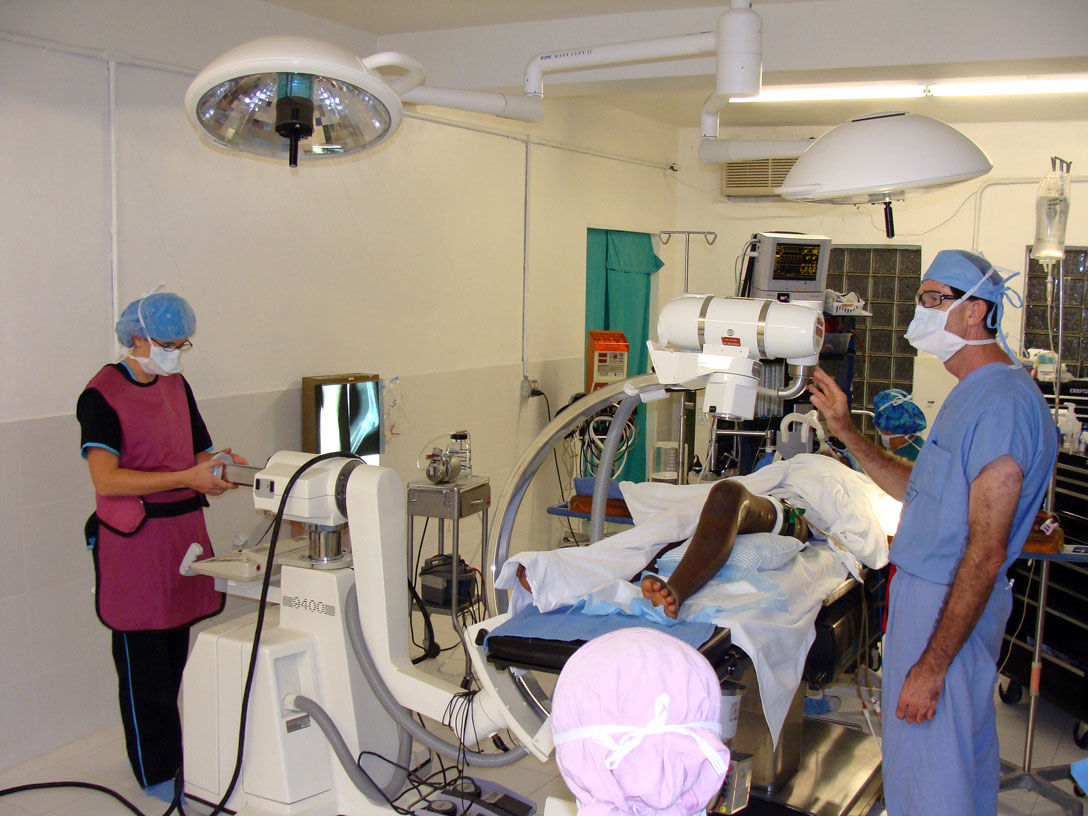
you probably remember me from a few months ago. I had the hard drive from an X-ray machine in Haiti that had failed due to a power surge. I though you may be interested to know that thanks to the drive your company recovered the machine is now working again. I’ve attached some pictures for you from the mission in Haiti including pictures of the C-arm being used during a knee operation. The surgeon in the picture is Dr. Dell who covered the cost of the recovery. This surgery to implant a plate in a patient’s damaged knee would not have been possible without a working x-ray. I thought your team would appreciate seeing the results of a job well done.

Thanks and Blessings, Geoff “

The Real Doctor of Recovery, Dr. Dell doing his thing in Haiti

Back in August, Geoff, an associate of Dr. Dells asked if we could recover data from an old Quantum hard drive being used in an older X-ray machine in Haiti. It was a 52 MB hard drive, yes 52MB or .052GB or .0000052TB, small by today’s standards that’s for sure. As the disk drive was very old and few data recovery companies other then Toronto’s Memofix Data Recovery Services had the experience or parts to deal with it, we were asked to attempt the hard drive recovery in Toronto.

As it turns out the hard drive had been damaged by a power surge and it’s printed circuit board or PCB was fried. Additionally and more detrimental to our data recovery efforts, the surge damaged a small pre-amp chip that is located on the head assembly inside the sealed disk drive compartment. The chip is used to amplify the signals from the individual heads to the PCB and without its proper operation, no recovery would be possible.

On a current modern hard drive, we would simply replace the entire head assembly but this older Quantum hard drive used a unique hybrid positioning system for controlling the heads and it could not be simply replaced with a new one if the data was to be recovered. This hybrid positioning system used a combination of an optical encoder for rough head positioning and an embedded servo system for fine positioning. As a result the relationship between the two positioning methods was critical and could not be altered or replaced with anything but the original mechanical parts.

With Memofix’s grey haired experience in repairing legacy hard disk drives we were able to replace the pre-amp chip on the original head assembly and restore the hard drive to an operating state. We then created an exact image of the entire original hard drive onto a new Quantum 52AT hard drive. Interestingly enough, we had a new Quantum hard drive sitting in our stock, still sealed in a bag we received directly from the now defunct manufacture in the early 90’s.

Sometimes it’s good to be a pack rat that’s been around forever! Especially when our efforts in Toronto help a good doctor spread heath and healing through a country that really needs everyone’s help. May the forces of good be with the people of Haiti!


Data Recovery & Encryption, foe or friend ?

Toronto, Ontario, Canada.

To most of us, the word “encryption” conjures up images of spies and secret disks containing information that must be guarded at all costs. Few of us realize that we all rely on and use encryption almost every day in our normal lives. Whether making a cell call, sending an email, buying something with your debit card, or accessing the web wirelessly, we are using and being protected by this not so simple process.

What is encryption? Encryption is the process used to transform and disguise data so that it is unreadable or undecipherable to anyone without a pre-determined secret code or password. Basically, the data to be encrypted is sent through an elaborate algorithm using the secret code or password to scramble the data into indistinguishable rubbish.

Please note, that password protection is NOT encryption. Password protection “may” prevent access to the data, but it does not alter the actual data. Password protection can be easily bypassed.

Encryption has also become common place for protecting data on computer based storage device like hard drives and USB flash sticks. Encryption can be used to protect an entire volume, a folder or even a single file. There are several distinct implementations available:

  • SOFTWARE, Users can buy or use free encryption programs that make it possible to encrypt files, folders or even their entire hard drive or flash device using software routines to intercept and modify the data on the fly. The entire encrypting and decrypting process is handled by your computer’s CPU or processor. Popular examples include SafeGuard, SecureDoc, PGP, TrueCrypt and Safeboot. Starting with XP Professional, Microsoft includes a built in folder and file encryption feature called Encrypting File System or EFS for short. Software encryption methods are popular as they are inexpensive and can be implemented on any existing storage device. However, they are generally much slower, typically 20% slower than hardware based methods.
  • HARDWARE, There are external hard drive devices that use a standard hard drive connected through a “hardware based” encryption interface board. In many cases this encryption process is performed without the user even being aware. Many Western Digital external boxes use this method allowing 100% data protection if the drive is ever removed from the enclosure and its encrypting interface board. Hardware techniques are considerably faster than software methods.
  • SELF ENCRYPTING, Users can now buy hard drives and SSDs that utilize on-board hardware to encrypt and decrypt the data on the fly. These devices encrypt the entire contents of a storage device and are referred to as SEDs or self-encrypting devices or drives. These drives carry a premium price tag but are the ultimate in safety and speed. Some hard drive manufactures such as Seagate may also refer to this self-encrypting as FDE or Fixed Disk Encryption.

Why use encryption? Most of us have heard a story or two about personal financial data falling into the wrong hands due to a corporate laptop being stolen or lost. Or the often recreated news story about reporters picking computers out of the trash and finding “valuable” info left abandoned. Yes it does happen, as someone who regularly buys previously used hard drives can attest. But just how many of us actually have super sensitive data on our computers in the first place? If you are one of the few that must keep your data from prying eyes, then by all means encrypt away. But if you don’t need to … DON’T!

Besides the potential loss in performance, there are several other reasons not to use encryption.

  • LOSS OF PASSWORD OR KEYFILE: If you can’t remember the password or can’t find the keyfile you made 3 years ago, you will NOT get your data back, period. While there are numerous recovery techniques for decrypting or accessing encrypted volumes, they all require some form of a username/password combo or a special key file created by the encryption software.
  • OPERATING SYSTEM FAILURE: If an encrypted drive’s operating system becomes corrupted, perhaps due to a simple virus and the drive is no longer bootable or accessible, there is no easy way to repair the file system and regain access. To resolve the issue you must first decrypt the entire volume. Again you will need a user/password or keyfile (and specialized programs) to perform such an operation. Once the volume is decrypted, the file system damage can then be repaired using the file system’s own repair utilities, i.e. chkdsk.exe
  • READ ERRORS: Over time storage device can easily develop read errors and if these read errors affect the operating system files or an area used to store pertinent encryption parameters, it can become impossible to access your data. As above, complicated procedures will be required to decrypt the volume and access the data. A single read error can stop everything.

Is encryption breakable? Theoretically, with enough computing power and enough time, any encryption scheme can be broken. But if the process takes a thousand years, the value of the data may be very limited. And fortunately the increase in computing power to break the key is easily outstripped by the exponential increase in difficulty by adding an additional bit to the encryption key. Presently, most credit card companies recommend transactions using 128 bit encryption keys. 128 bits keys are considered by the experts to be safe until about 2030 although some recommend 256 bit keys due to the advent of the “quantum computer” where theoretically the difficulty may be halved.

There are 2 basic ways of breaking encryption. The hacker either breaks the password by guessing the password or the hacker uses crypto analysis to guess the message based on the natural frequency and composition of the characters in a given language. To guess a password is often very easy as people tend to use real words and they are often chosen from an individual’s personal life or interests. Even brute force using a pre-created word list is often successful. To be sure your password can’t be compromised in your lifetime it has been recommended that your password should be at least 20 random characters. Of course few of us can remember such a long sequence.

In the real world, getting around the encryption is often much easier than either of these methods. Keyboard recorders are simple to install devices that can be used to record all the keystrokes of a user including their passwords. Or perhaps a hidden camera could provide the same results. Another technique can be utilized if a user leaves their computer unattended, as the contents of RAM memory are not encrypted and there are ways to dump the RAM contents and retrieve a password. Additionally, a group of researchers/hackers recently discovered that the contents of RAM memory do not disappear as soon as the power is removed. In fact if the RAM chips can be kept cool, the data may be retained for 10 minutes or longer. Theoretically reading the RAM contents could be possible even if the power is turned off. But this isn’t really so much about breaking the password as it is about stealing the password.

Can Memofix recover your encrypted data? Usually YES, but we need your keyfile or username/password combo … PERIOD. If we could recover your encrypted data without these credentials then what would be the point of using encryption in the first place.

We regularly recover data encrypted with PPG, Safeboot, SafeGuard, SecureDoc, EFS and most other software encryption programs. We are also very successful recovering hardware encrypted hard drives where the encryption is performed by an interface board separate from the storage device. i.e. the popular Western Digital My Book.

However, SEDs or Self Encrypting Devices present a real problem. It is estimated that by 2017 over 80% of all hard drives and all SSD or Solid State Drives will be SED or self-encrypting devices. There are NO decryption methods available for these SEDs and if consumers and businesses are to adopt these new SEDs, this concern must be addressed by the manufacturers.

Encryption is here to stay whether you need it or not. If you do choose to encrypt your data, we suggest you always create a key file and store it in a secure location. Additionally, record all usernames and passwords in a secure location and until the SED manufactures create a solution for authorized decrypting, we suggest you steer clear of their products or be sure to regularly backup.

As always, when things don’t quite go as planned remember your friends at Memofix https://www.memofixdatarecovery.com/ are always willing to help!

Laptop Hard Drive Crash

An Unrecoverable Notebook Hard Drive
Many of the 2.5″ hard drives designed for laptop, notebook and netbook applications use glass platters. The glass platters can be manufactured with smoother and flatter surfaces which allow the heads to be flown closer to the disk surface. This in turn allows the manufactures to increase the density and store more data in the same space.
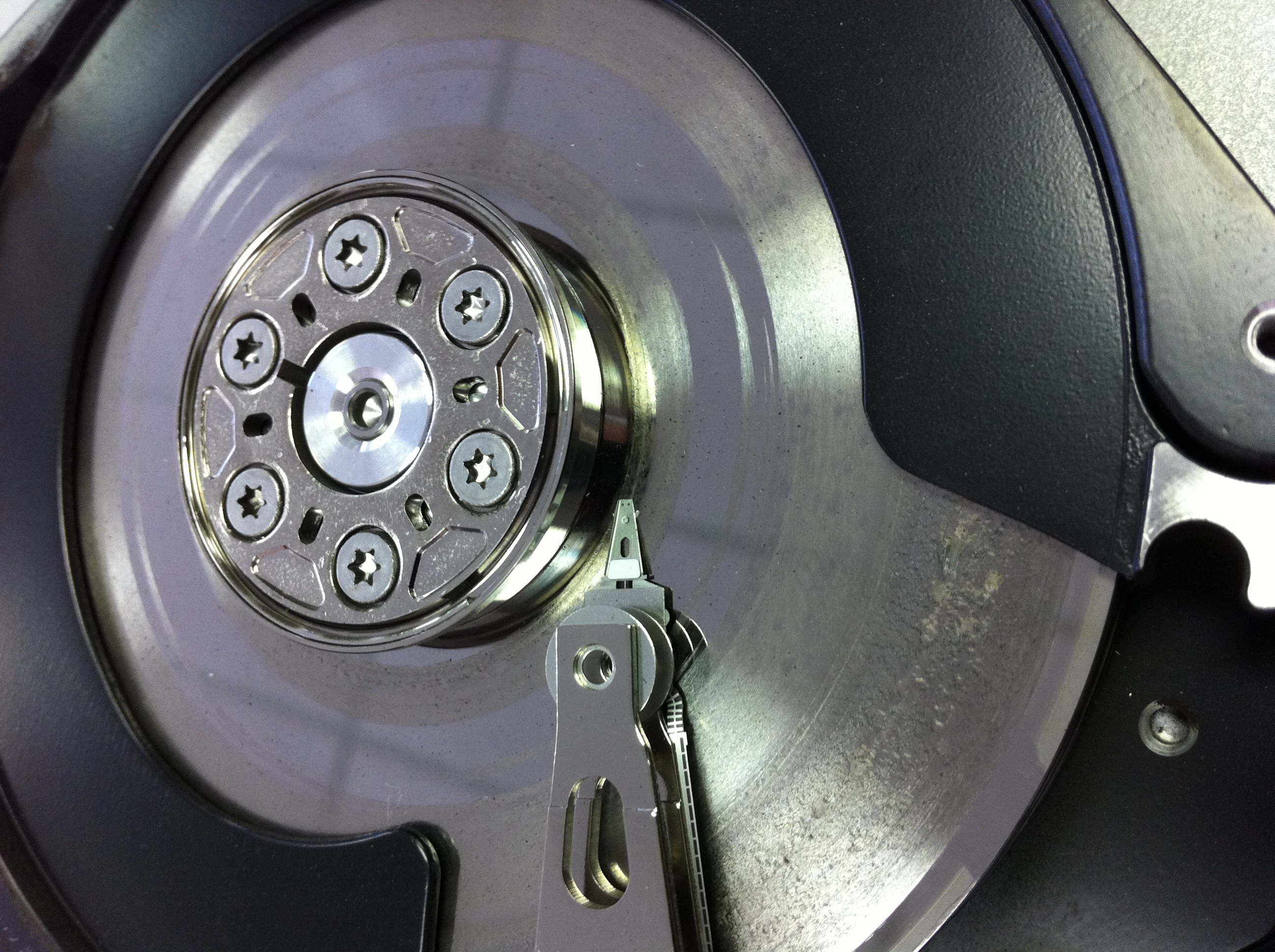
However, glass isn’t exactly known for its indestructibility and this picture illustrates the problems. This Western Digital laptop drive originally had two disks but the top disk has shattered into a hundred pieces. No useful data will be recoverable in this situation.

a terrible pic …

Data Recovery Toronto
the Data Recovery Blues

Sometimes the data is just not going to be recoverable! Here is an example of a badly crashed hard drive we received for data recovery from a disappointed Toronto client. Less then 5% of the hard disk drives we receive for data recovery purposes are in a similar condition. Typically this degree of damage begins with a lot of noticeable noise (clicking hard drive sounds) and escalates quickly into a total disaster!