WARNING: If your data is absolutely critical, DO NOTHING but send it to the professionals. More data is lost by well intentioned recovery attempts than is ever lost from the initial problem.

Toronto, Ontario, Canada. In some situations it may be possible to access your lost data using simple procedures OR even recover your lost data using relatively inexpensive software. Knowing how to differentiate which situations call for a professional and which don’t, is the key.
Before considering if DIY data recovery may be an option for you, be aware that your efforts may cause the permanent destruction of your data, so please proceed with caution!
The stress and panic of losing your data can often result in hasty and unwise decisions. Take the time to calm down before making any important decisions. Try and determine what data is absolutely critical and what data you can live without. Can the data be recreated and if so, at what cost? Is it backed up elsewhere or have I shared copies with any of my colleagues? Often, much of your data can be re-assembled from other sources and the remaining lost data can be worked around.
If you’re a home user or even a budget minded business, the cost of the recovery must be compared with the value of the data. Data recovery on hard drives typically starts at $500 and can easily surpass the $1000 mark, while data recovery from USB flash devices and camera cards is typically $300 or less. Putting a value on last summer’s vacations pics or ten years of email is not always that easy. The value of the data is always in the mind of the beholder.
If you decide to attempt a DIY data recovery, you will first need to determine if your data recovery situation is a candidate for DIY data recovery. Data loss can be the result of the 2 distinct problems:
- DEFECTIVE STORAGE DEVICE: Your data can’t be accessed because the storage device (typically a hard drive) is no longer functioning properly. Unless you’re a hard drive expert, there is little you can do.
- DAMAGED FILE SYSTEM: the storage device is working but due to corruption or damage to the computer’s file system structures, the data cannot be seen or accessed. The fie system keeps track of where the files are actually store on the hard drive or storage device.
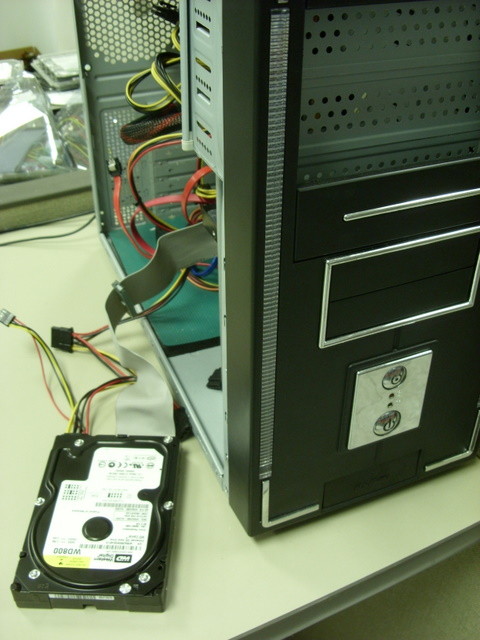
In the first category, the storage device or hard drive is NOT working properly. To self evaluate your hard drive, open up your computer and locate the hard drive. If possible remove the hard drive from the computer, but keep the connectors attached as illustrated in the picture on the right.  Now place your ear as close to the hard drive as possible and power up the computer while listening. If your hard drive is making any strange or uncommon noises such as clicking, squealing, banging, clacking, ticking, scraping or other destructive metallic noises you likely have a defective hard drive. The louder the noises, the more likely your hard disk drive has begun to physically crash and there may only be a short window of time before the damage becomes insurmountable. If the data is mission critical, shut if off immediately, do nothing, and start shopping for a professional recovery service.
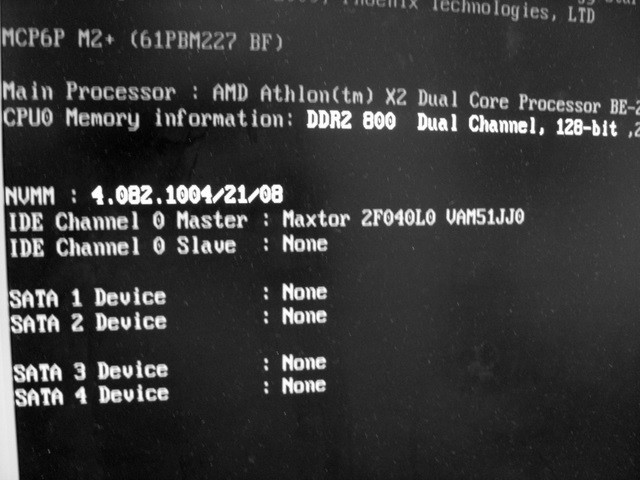
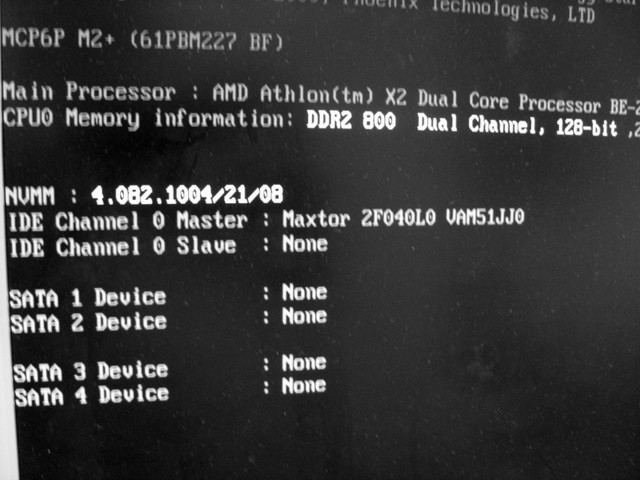
If you don’t hear any audible screams of pain, your hard drive may still be defective. 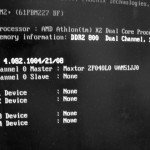 To check further, monitor the screen as the computer is powering up for the post BIOS routines. In particular, there should be a message displayed when the computer is checking for the presence of hard drives. In the example on the left, there is one Maxtor 2F040L0 hard drive detected. If no hard drives are displayed, your hard drive is likely defective. However if no concerning noises are present, you can continue and attempt some of the additional procedures mentioned further on in this article.
In the second category of data loss, the hard drive is assumed to be working properly, and the data loss is likely the result of damage to the operating system files or to the “index of files”. However, this damage may still be the result of a hard drive perhaps failing internmittently, so be careful.
Many times a user cannot access their data simply because their computers will no longer boot up. Try attaching the inaccessible hard drive as a second drive on a good booting computer or install the inaccessible hard disk drive inside an external USB box and access it through a USB port. If the file system is still relatively intact you should be able to open up “My Computer” and gain access to the drive’s data files. For MAC users the inaccessible data drive should show up as an icon on your desktop.
If the drive’s data files still can’t be seen, there is one more tactic that can be employed. Running a commercially available data recovery program may recover the files you need, even if you’ve formatted the hard drive, deleted files or re-installed the operating system. Many of these programs can be purchased for less than $100 and offer a free trial period where you get to see the results before you decide to actually purchase the product. Be sure to attach an additional working storage device to the computer for recovering the data to. Data should never be recovered to the original storage device.
Hopefully your data loss is a simple issue and these procedures help you regain access to your data. However if your data loss situation is a more serious problem, please contact the experts at Memofix Data Recovery Services where data recovery is our passion and the tougher the case, the more determined we are to be successful. http://www.memofixdatarecovery.com/