Data Recovery, recovering Hard Drive data, RAID data recovery

Emergency RAID & Server Data Recovery (647) 448-5302

During the holidays many companies use the down time as an opportunity to update and perform maintenance on their data servers and RAID boxes. This is also a crucial time for data loss to occur, and a time where caution and safety should be of the utmost importance.

At Memofix, we understand that mistakes can happen, hard drives can crash, and servers do become corrupt, so we want you to know, whether you’re in Toronto or anywhere in Canada, we are ready and able to help 24-7, 365 days of the year. If you face a serious data loss & need our emergency data recovery services to ensure your business is back up as soon as possible, please call or text David Foster @ (647) 448-5302 to discuss your situation and how we can help … any time any day.

Happy Holidays to All! … from David Foster & my amazing team at Memofix Data Recovery


Toronto’s Weekend RAID Warriors


It was a beautiful Friday afternoon and the start of the long weekend was only hours away. The boys in the lab all had plans of some sort or another, but then Bob walked in. And RAID away I knew someone’s plans would be changing.

data recovery server

Bob Giannoulis, the head of our Client Services, had just spent the last 20 minutes discussing a huge data loss situation with a potential customer. The customer, one of North America’s largest providers of programmable digital mobile content, had lost a critical server. The live data content stored and constantly refreshed from a big old server was sitting in a huge data centre just a few kilometers from our lab. Their product was used by everyone from government and recreational complexes to big businesses and even Vegas casinos.

Unfortunately, most of these clients had performance contracts which penalized any delay or loss of access to online content. Consequently, our client was under extreme stress as several of his larger clients were threatening to terminate their contracts or pursue legal actions or both.

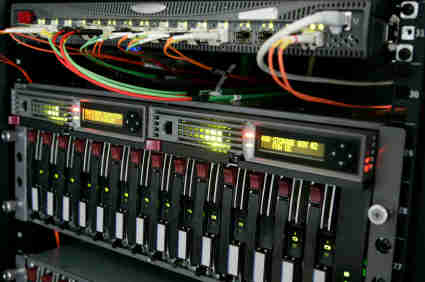
The client was running a RAID 5 setup with 14 hard drives. On Wednesday evening during a thunderstorm the RAID server went down momentarily with a single failed hard drive, but thanks to the redundancy of RAID 5, the server recovered and continued to operate, albeit in a degraded and much slower state. An automatic email message informed our client’s IT people about their hard drive failure and the fact the spare drive was also down. Within an hour or two their tech arrived to replace the defective hard drive and start the 7-8 hour RAID rebuilding process.

After about an hour into the rebuild, things started to go bad! A 2nd hard drive began to physically crash and within minutes the rebuild was aborted in mid process. The IT technician, already driving home, gets a 2nd email message concerning the catastrophic failure of their RAID server and quickly returns to the data center. The server is now totally down and none of their digital content servers can “call home”. No worries, he’ll just swap out the failed drive and re-start the rebuild process. But the rebuild apparently wouldn’t start, likely due to the fact there were now 2 disk drives down. More hands are called in, and with sparse options they decide to restore a backup of the RAID server to a new set of drives and use one of these drives from the back up set to rebuild the downed RAID array. As Friday morning arrives, the IT teams latest attempts are deemed a failure and the pressure to get the server up is not letting up.

I think it’s worth noting that RAID of any type is NOT a replacement for a good backup. Yes the R in RAID stands for redundant but the redundancy is very delicate and often short lived. You see, the redundancy in RAID 5 is based on being able to replicate the data from ONE failed hard drive, but once one drive fails the odds greatly increase that a second drive will fail shortly after. It makes sense when you consider most RAID arrays are built with identical drives, bought on the same day from the same supplier. They are semi-clones of each other, so as a critical component begins to fail on one drive, it’s just as likely to begin to fail on another hard drive. Add in the extra stress of rebuilding the complete array and it’s pretty clear that disaster is lurking just around the corner.

This is about the spot where Memofix Data Recovery Services comes back into the picture … just after 4pm on the Friday of the Canada Day long weekend a panic stricken gentlemen and a young nerdy guy walk into our facility and hand deliver their RAID server to us. They look tired, frazzled and beaten. This is our first challenge … to give them hope! We know if the data they need is still there, and if they didn’t do too much to the RAID array, we should be able to get it back! The client’s nerdy young guy is their lead IT tech and he’s mentally quick and thankfully possesses a solid memory of each step that was taken in their own efforts to resurrect the RAID server. Our tech and the nerdy young guy are quickly sharing the details of the situation and it’s not long before our confidence and positivity lifts the spirits of our once saddened clients. We are given the approval to do whatever we can to get their data back by Tuesday morning.

SAS drives for RAID 5 data recovery

With no further ado, we are left alone in our lab to try and resurrect this fallen giant of a storage device. It consists of fourteen 300 GB SAS hard drives and a few extra hard drives still to be sorted out. As always, we began by creating duplicate images of all the working drives before turning our attention to the failed disk drives. Often when a RAID reports a hard drive being down or offline it’s not actually dead or defective, so we 1st diagnose the two drives to see if either is accessible. We are hoping if we can get just one of the two drives working we’ll be able to rebuild the RAID array.

Briefly applying power to the 1st drive initiates a horrible screeching noise that we’ve heard way too often. This drive is likely badly crashed and a quick inspection under class 100 cleanroom conditions reveals it to be true. There are a series of deep rings across the top disk surface and most likely similar damage below. This drive will not be recoverable. Yikes!

Diagnosing the second drive, we are relieved to find the drive in a functional state with no painful noises being heard. However, the drive has triggered its built-in SMART monitoring system to report problems but the drive is still accessible. We quickly determine the cause of the SMART errors is due to one of the heads being defective and unable to read. Inspecting the hard drive’s three disks under class 100 cleanroom conditions shows no visible or apparent disk damage and removing the heads and inspecting them under a microscope shows no damage as well. This is good.

Checking our database of parts drive shows we have 3 of these exact model drives to use for parts and it isn’t long before our best cleanroom technician has the drive happily but slowly imaging along. It’s almost 8pm now and the imaging will likely take 5-6 hours. We decide to use this time to fuel up on some food and get some rest. The plan is for our best RAID file system specialists to return to the lab on Saturday morning and assuming the imaging is complete, continue with the recovery.

Our tech arrives at 8:30 am and as expected all the imaging has completed. There are a few read errors on the drive that required new heads but otherwise everything looks good. Now the task is to determine the original RAID configuration such as the proper drive order, the stripe size and the parity scheme. Sometimes the configuration is easy to determine, but due to the repeated attempts to self-fix the array we have our work cut out for us. By 1 pm we are fairly certain we have the correct parameters and we attempt to mount the RAID array virtually. But something is not right and we spend another 4 hours before we successfully mount the RAID 5 array virtually.

With the RAID 5 array now properly setup, we can mount the clients DATA volume. But nothing is straight forward here and our attempts to copy off the data using the DATA volumes own NTFS file system prove futile, especially on many of the identified critical files. Our tech has spent the better part of the day working on the world’s biggest jigsaw puzzle and he’s getting mentally tired so we decide to call it quits for the day.

Sunday morning arrives and our RAID specialist digs into the new problem. There appears to have been some overwrite or corruption of the volume’s MFT or Master File Table which acts as an index pointing to the location of files. Again, several more hours are spent searching through the RAID array for matching fragments of the MFT that we can use to repair the damaged areas. We are successful in finding the final missing remnants buried deep within some temporary system files. The MFT is now repaired, the DATA volume mounted and the copying of the data begins. Our tech now heads home but continues to monitor the case remotely. The copy completes during the holiday Monday and he tests a large sample of the data and ensures it loads error free. We can now declare this successful and a quick call to the client has them meeting up with our tech at our lab to pick up the data. If smiles were dollars we would be rich!

As a service provider of last resort, we tend to see the worst scenarios and this was no different. Nobody likes to call in outside help, especially if your reputation is built on data security and you have a potential data loss situation. But if you find yourself in a similar situation do the right thing and bring in the professionals. At the very least we will stop any further damage by capturing protected images of all the hard drives before any more modifications are made.

Memofix provides users with a 24-7-365 day cell number for contacting us off hours or on weekends. If disaster should strike you at an inopportune time please call me, David at (647) 448-5302 to arrange an emergency intervention.

* note: the actual business description has been misrepresented to protect our client’s identity

Tape Backup Gets Squeezed by The Cloud and SSDs

For the past couple of years we have been telling our customers and social media followers that Tape Is Not Dead. But the past 12 months has put increasing pressure on a backup technology that business has relied on for decades. Memofix is one of the few repair facilities in North America that repairs hard drives and we continue to support customers of HP, IBM and Quantum tape drives, among others. However we see the signs that tape is quickly being pushed out of IT operations by Cloud and Solid State Drives (SSDs).

In our conversations with storage OEMs, customers and industry contacts there’s no surprise that Cloud backup is becoming the backup and data recovery option that many companies are moving to. Local storage is not going away and the move to disk-to-disk backup has been underway for years. But the Cloud is quickly replacing tape as the guarantee for business continuity. It provides offsite security while eliminating the majority of administration associated with tape backup processes, and there’s no need for expensive equipment purchases or upgrades. It was a logical move for Memofix to offer Cloud Backup solutions in order to continue serving the thousands of customers who have relied on us for storage technology and services for 25+ years.

How are SSDs affecting the use of tape for data backups? SSD Manufacturers and systems integrators are selling flash technology with the emphasis on savings. The primary saving comes from a reduction in power consumption and reduced impact on IT cooling systems. But we are also hearing more pitches that tout the speed of SSDs and the productivity gains that companies can achieve, particularly when dealing with large data sets and industries where response is critical. As SSDs grow in capacity and come down in price, they are starting to push traditional HDD storage into a Disk-to-Disk backup role. This means the tape drive infrastructure is rendered obsolete or its role is greatly reduced.

In a backup market that has plenty of new sexy technologies, tape continues to be the solid low-cost performer, albeit less exciting. It’s a little bit like shopping for a new car. IT managers and business owners can either afford to drive out of the showroom with the leading solutions in Cloud, SSD and disk-to-disk, or they have to settle for the economy model that everyone thinks is already obsolete. Whatever you’re driving, we can help you tune up your backup strategy.


Let’s Get Green($): Redeploying old Hard Drives

This blog regularly focuses on the issues around data recovery and important considerations in maintaining your storage devices. But today I’d like to highlight an interesting service from Memofix through a guest post by our CEO, Chris Rathgeber. – David Foster

Memofix has more than two decades of experience in providing warranty depot service for technology manufacturers, computer resellers and businesses of all size. We provide solutions for a variety of devices but we have a particular focus and passion for all things related to storage. This has allowed us to build some unique customer programs that reduce risk and recover value for assets that have been deemed obsolete.

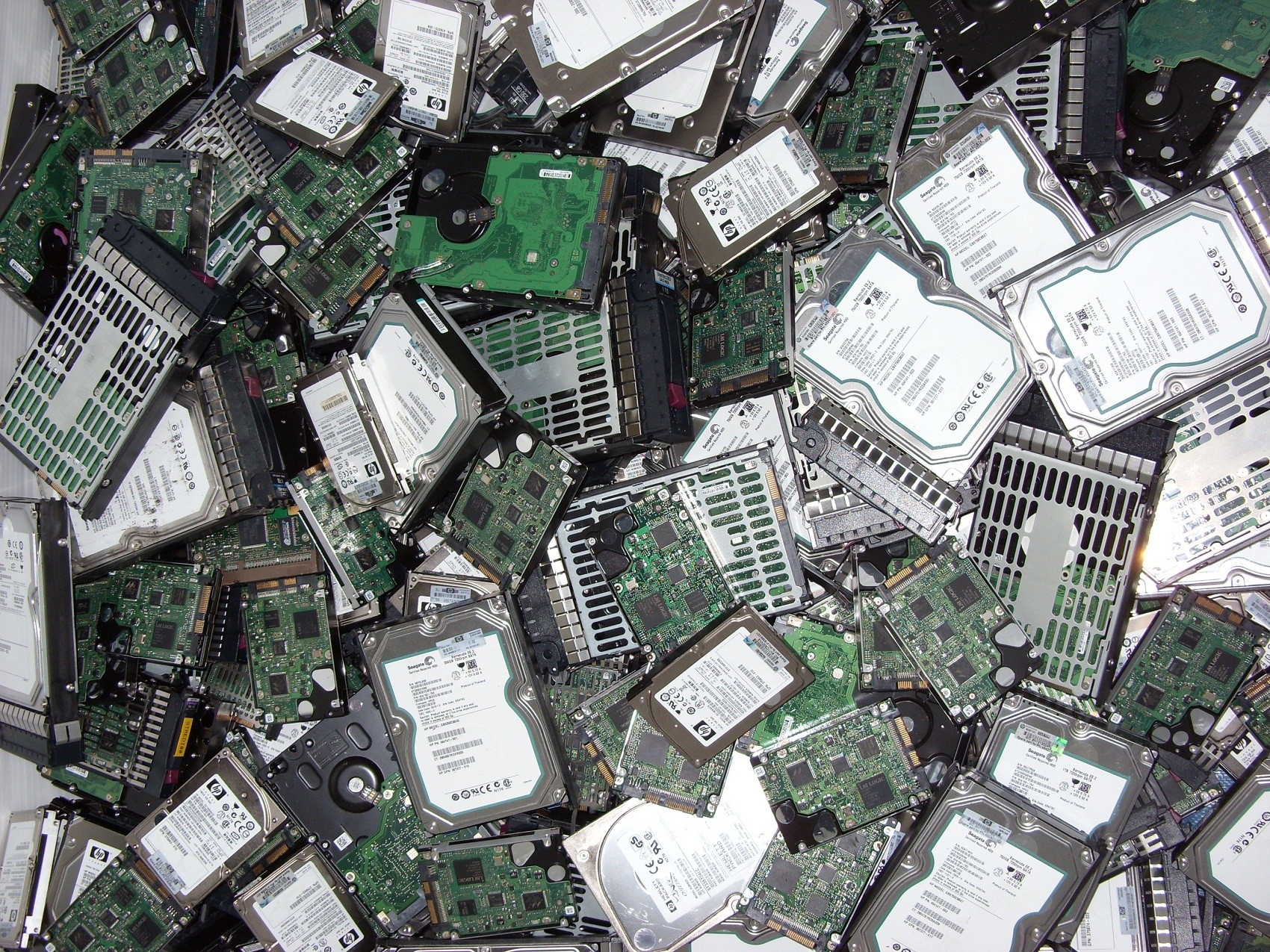
Hard drive shipments world-wide continue to increase with some 300 million delivered in the first half of 2012 (IHS.com). IT managers are replacing thousands of hard drives each month across Canada and we deal with the asset disposition process for a significant amount, either directly or through our partnerships with manufacturers or resellers. They may be upgrading to newer technologies, like SSD, or adding capacity or simply reducing the number of storage devices by relying on cloud based solution providers. These IT refresh or upgrade projects end up displacing an equal or greater amount older storage devices.

All IT managers should be exploring the possible trade-in value for any storage devices that are replaced in their environment. Many can be sold to other companies who are increasing storage capacity in a network environment that is standardized on older technology. Hard disks and tape drives, once audited and refurbished, can be sold as service spares to a wide variety of customers. Some may have more value to be broken down into key components and used as spare parts. Our team has been able to find customers for older hard disks of all capacities, tape drives, network drive enclosures, tape libraries, auto-loaders and other storage related components.


The most critical issue for any customer, when considering the re-marketing of hard drives from their facility, will be data security. There is always a concern that one of their hard disks will be resold with information that can be accessed by a potential future buyer. We believe that Memofix delivers a level of security that customer can rely on, that no data can be retrieved and they can extract full value for the re-marketed device. In the 25 years that we have been delivering data recovery solutions, hard drive repairs and data destruction services we have never had a single incident of a data breech. The manufacturing leaders in storage technology rely on us for this level of security as do some of the largest IT departments in Canada. Once devices have gone through our audit and data wipe process, they can be re-marketed and the recovery value can underwrite the replacement units or future operational costs.

We’re a bit obsessive about the details when we take on an asset disposition project for our clients. We establish a secure chain of custody that matches our customer’s need for security. All assets are received and detailed reports are created that allow us to track each asset through our various phases of audit, test, data wipe, refurbishing, packaging and ultimate payment to the client. These reports account for every asset and ensure that they can be removed from the customer’s accounting application. We utilize our data recovery division to random test devices during the data wipe process to guarantee that our procedures are working as expected. Approximately 25% of drives cannot be wiped effectively because the device does not function properly. These are degaussed and shredded to endure data security standards are met.

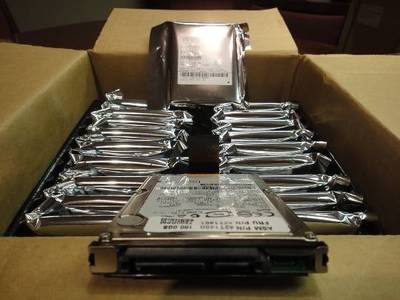
Memofix is known as a quality supplier of refurbished storage with all products backed by warranties that are best in the industry. A hard drive with a single bad sector will fail our testing process and will not be resold. This level of quality means we demand premium prices for our refurbished inventory which results in higher trade-in values paid to our asset disposition customers. All hardware that fails while in testing, or that has no re-marketing value, is recycled responsibly meeting strict Canadian ewaste guidelines.

We regularly manage the physical destruction of thousands of hard drives as directed by our customers despite our knowledge that many have value in the re-marketing and service channel. Some companies have no appetite for risk and will remove all storage devices for shredding and recycling and we follow instructions accordingly. But we will provide an analysis of the potential trade-in value of all devices so the client can weigh the benefits of pursuing that option. For several customers their confidence in our secure processing has resulted in valuable recovery dollars flowing back into their IT operations.

Please consider partnering with Memofix as a key supplier for asset disposition services focused on storage technology. Whether your project is large or small, or you deal with us directly or through a trusted computer reseller, we can provide data wipe solutions and re-marketing programs that give you peace of mind for your retired assets along with funds for extending your IT budget.

Chris Rathgeber, CEO Memofix

RAID Disaster Area!

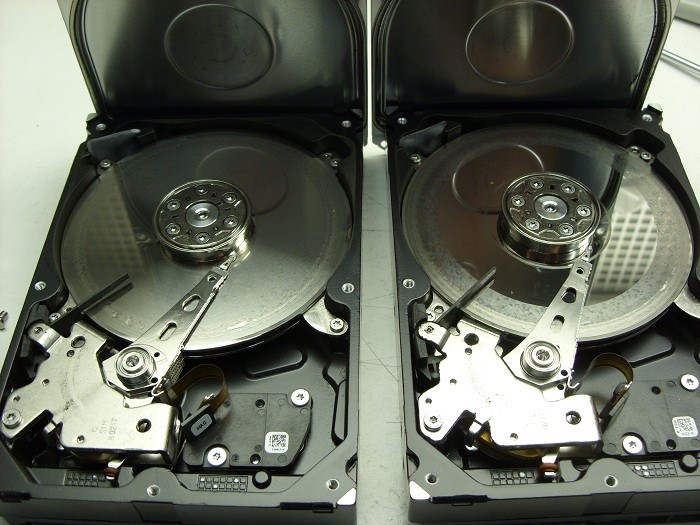
It’s been a while since I’ve posted any astonishing pictures of actual data recovery cases we receive. This morning we received a pair of matching Seagate 7200.11 500GB SATA hard drives that were in such bad shape I just had to share …

2 crashed seagates

They were part of a 2 drive RAID-1 set which means they were exact copies of each other. The client assumed having two copies of their data on two drives would ensure they would be safe. Unfortunately they were wrong.

Their assumption of safety is flawed on a several accounts by my reckoning.

First, both drives are physically in the same box . So if one falls off the table, they both fall of the table. And judging by the physical damage of these two hard drives, this might very well be what happened. Notice the scoring and rings forming all across the disks or platters of both drives. This is a real physical crash where the magnetic coating that was used to retain the data has been scraped off and left scattered through out the drive’s internals as a fine black powder.

Regardless, of how the physical damage happened, it is also apparent that the drives were running for sometime in this state. Typically minor crash debris is collected by a filter located in the top left corner of each drive. The filter is originally white in color but as you can see in the picture, both filters are now black. Crashes like this are also very audible and for a sample of what this sounds like, listen to the recording of one of these drive below.

Secondly, RAID box vendors often recommend you use two identical hard drives as was the situation here. Again, this does not sound like such a good practice to me. If one drive has a manufacturing defect, then there is a good chance the 2nd drive will have the same manufacturing defect, especially if the drives are bought at the same time from the same vendor. And even if the hard drives have no manufacturing defects, their life spans are bound to be very similar. Once one drive fails, the odds of the next one failing shortly after are quite high as well.

If your data is valuable, nothing beats a good back up on a separate distinct device that is stored in a different physical location. But should you find yourself without a backup and a failing RAID box, do your data a favor and shut yourRAID array down immediately and contact Memofix Data Recovery Services for immediate assistance.


another view